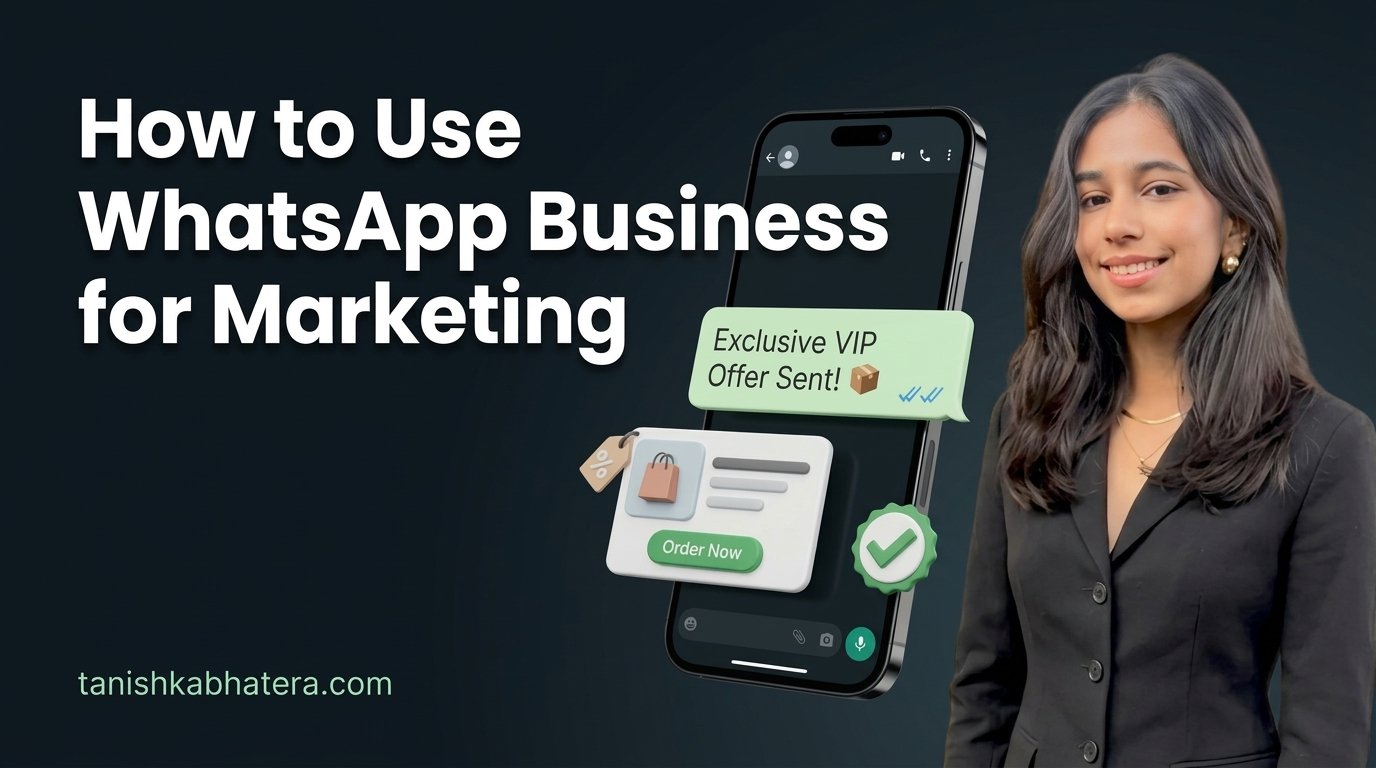
To use WhatsApp Business for marketing, set up the free app properly, build a catalogue of your best products, and send one or two useful broadcasts a week to customers who have saved your number. That last condition is the one nobody explains, and it is why most shop broadcasts silently never arrive. Most small businesses never need the paid API.
The short version
- The free WhatsApp Business app is enough for most shops, salons, clinics and boutiques. Nearly every guide pushing the paid API is written by someone selling it.
- A broadcast only reaches people who have saved your number in their contacts. If they have not, your message never arrives and you are never told [verify].
- Each broadcast list holds up to 256 contacts on the free app [verify].
- One or two marketing messages a week is the safe range. More than that and people block you, and blocks put your number at risk.
- Only message people who agreed to hear from you. WhatsApp requires opt in for marketing [verify].
- Your WhatsApp number should also sit on your Google Business Profile, so customers can message you straight from Maps.
In this post
A saree shop owner in Purasawalkam told me her WhatsApp broadcasts had stopped working. She had been sending festival offers to around 400 customers for two years and the orders had dried up. When we checked, most of those customers had never saved her number, so her messages had been disappearing the whole time. Nobody had ever told her the rule. That is why I wrote this as a digital marketing freelancer in Chennai who uses WhatsApp with nearly every local client.
You probably do not need the paid API
The free WhatsApp Business app covers what almost every small Chennai business needs. The paid version, the WhatsApp Business API, is built for companies with thousands of customers and a team answering messages.
Search this topic and nearly every result comes from a software company selling access to the API. That is not wrong of them, but it means the advice skews toward the product they sell. Here is the honest split.
| You need | Free WhatsApp Business app | Paid WhatsApp Business API |
|---|---|---|
| A business profile, catalogue and quick replies | Yes | Yes |
| Broadcasts to a few hundred customers | Yes, 256 per list [verify] | Yes, much larger |
| Several staff answering one number | Limited | Yes |
| Automated message sequences and a CRM | No | Yes |
| Cost | Free | Charged per conversation, around Rs 0.78 per marketing conversation in India [verify] |
My rule for clients is simple. Stay on the free app until you are genuinely hitting its limits, usually when several people need to answer the same number or you are messaging thousands. A salon with 300 regulars is nowhere near that point.
Set up the free app properly
Most shops install WhatsApp Business and fill in two fields. Fifteen minutes of proper setup makes every future message look more trustworthy.
Business profile. Use your real business name exactly as it appears on your board, a clear logo or shop photo, your address, your hours, and a one line description of what you sell. Customers check this before replying.
Catalogue. Add your ten to twenty best selling products or services with a photo, a short description and a price. A customer asking “what do you have” gets a tap instead of a paragraph, and you look organised. Keep prices current, because an old price in a catalogue causes arguments at the counter.
Quick replies. Save answers to your five most common questions: timings, location, delivery, price range, payment methods. Type a slash and the saved answer drops in.
Greeting and away messages. A short greeting for first time contacts, and an away message after hours saying when you will reply. Silence reads as a closed shop.
Labels. Tag chats as new customer, order pending, paid, or regular. It turns a messy inbox into a list you can actually act on.
Everything above is covered in WhatsApp’s own business help pages, which are worth ten minutes of your time.
Why your broadcasts are not arriving
This is the rule that catches almost every shop owner, and it explains the Purasawalkam saree shop.
A WhatsApp Business broadcast only reaches people who have your number saved in their own phone contacts [verify]. If a customer messaged you once but never saved you, your broadcast does not reach them. WhatsApp does not tell you who missed it. You see a sent tick and assume it landed.
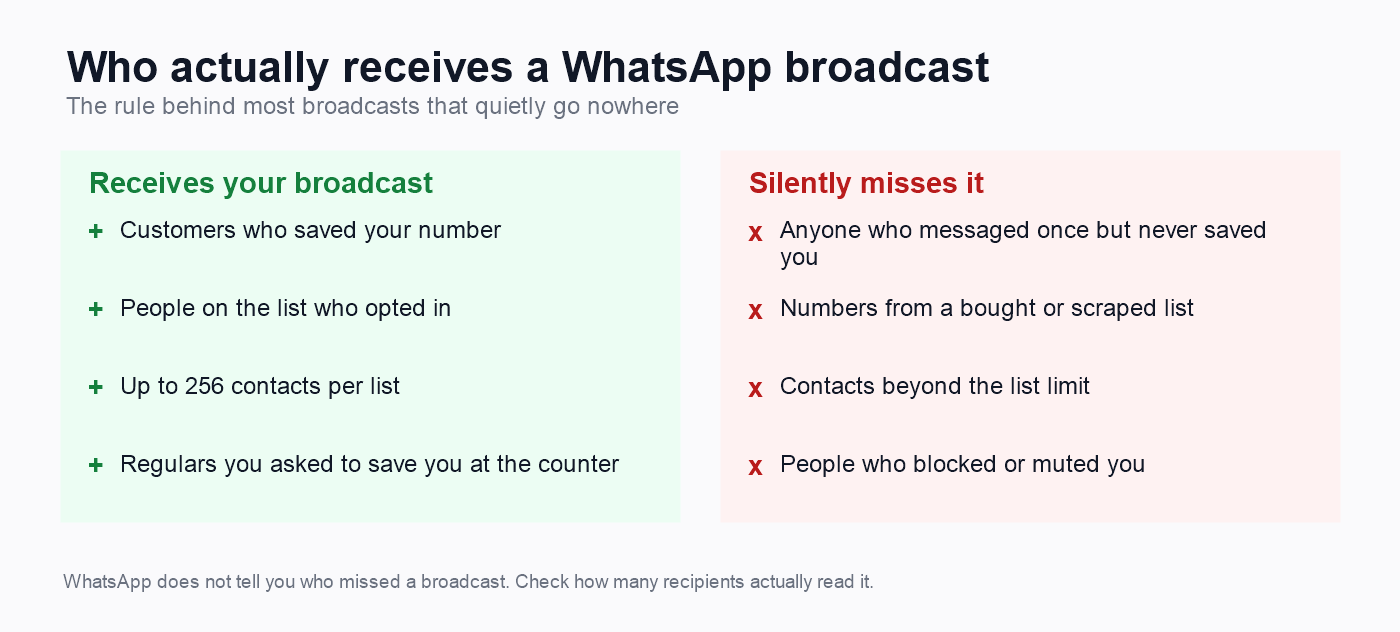
So the most valuable thing you can do for your WhatsApp marketing is get customers to save your number. Ask at the counter: “Save this number so you get our offers.” Print it on the bill as “Save us on WhatsApp for offers.” Put it in your first reply to any new enquiry.
There is a quick test. Look at how many of a broadcast’s recipients show blue ticks. If only a small fraction ever read your broadcasts, the missing people probably never saved your number, and more messages will not fix that. Getting saved will.
How often to message without being blocked
One or two marketing messages a week is the safe range for most Indian small businesses. Past that, customers start blocking you, and blocks are what put a WhatsApp Business number in danger.
Think about your own phone. The shop that messages every day gets muted by the second week and blocked by the third. The shop that sends one genuinely useful message a week gets read.
Watch your block rate. Compliance guidance warns that if more than about one or two percent of recipients block you, something is wrong with who you are messaging, how you got their consent, or what you are sending [verify]. Fix it before you send anything else.
Festival season is where shops get this wrong. Diwali and Pongal feel like the time to message every day. Send your best offer once, a reminder once, and stop. The customers who wanted it already saw it.
What to actually send
The messages that work are useful to the customer rather than simply announcing what you want to sell.
- New stock with a photo and a price. “New Kanchipuram silks in, Rs 8,500 to Rs 22,000, photos below.” Specific, visual, easy to act on.
- A genuine offer with a clear end date. Vague offers get ignored. “Twenty percent off until Sunday” gets action.
- Booking reminders for service businesses. A salon reminding a regular that it has been six weeks since her last visit is welcome, not spam.
- Useful tips related to what you sell. A plant nursery on monsoon care. A tailor on how to measure for a blouse. These earn replies.
- Your review link, once, after a good visit. My guide to getting more Google reviews has the exact WhatsApp wording that works.
Keep every message short enough to read without scrolling, with one photo and one thing to do. Three offers and six photos in one broadcast gets skimmed and forgotten.
Use WhatsApp Status, the free channel almost nobody uses
WhatsApp Status is the most underused free marketing tool a Chennai shop has, and it avoids every problem with broadcasts.
A Status update is a photo, short video or line of text that sits at the top of the updates tab for 24 hours, then disappears. Everyone who has saved your number can see it, and they choose to open it. Nobody gets a notification they did not ask for, so nobody blocks you for posting one.
That makes Status perfect for the things that feel too small for a broadcast. New stock arriving this morning. Today’s special at the counter. A finished bridal look. A short clip of fresh flowers being unloaded at dawn. Things you would never message three hundred people about, but that a regular customer enjoys seeing.
Post one or two a day and treat it like a shop window people walk past. Keep them real rather than polished. A slightly shaky phone video of new sarees being unfolded outperforms a designed graphic, because it looks like your shop instead of an advertisement.
Two small habits make it work better. Check who viewed each Status, because the same names appearing daily are your warmest customers, the ones worth a personal message when something they would like comes in. And put your price on the post when you can, since “how much?” is the reply you will get most often otherwise.
Status only reaches people who saved your number, the same rule as broadcasts. So everything in the earlier section about getting saved pays off twice here.
How WhatsApp Business numbers get banned
A banned number takes your entire customer history with it, so this section is worth reading twice.
Messaging people who never agreed. Buying a list of numbers, or scraping numbers from a Facebook group, is the fastest route to a ban. WhatsApp requires opt in for marketing [verify], and strangers report unwanted messages.
Too many reports in a short time. Each report from a recipient counts against you. A single aggressive campaign can do the damage.
Unofficial bulk sending tools. Software promising to send thousands of messages through the normal app breaks WhatsApp’s terms. They work until the number is banned, often without warning. WhatsApp’s Business Policy spells out what is and is not permitted, and it is short enough to read in a few minutes.
Sudden large volume from a new number. A brand new number blasting hundreds of messages on day one looks like spam, because it usually is.
If you ever do get banned, WhatsApp offers an appeal from within the app. Appeal honestly. Then change whatever caused it before you rebuild.
Connect WhatsApp to Google
The most underused WhatsApp Business feature for a local shop is not inside WhatsApp at all. It is on your Google Business Profile.
Google now lets you add WhatsApp as a contact option directly on your profile, so someone searching “saree shop near me” can message you from Maps without saving a number or typing it in. For Chennai customers who would rather WhatsApp than call, that single button can outperform your phone number.
Two things make it work. The number must be answered during business hours, because an unanswered chat hurts more than no chat button at all. And the WhatsApp Business profile should match your Google profile exactly: same name, same hours, same address. My guide to Google Business Profile optimization in Chennai covers adding it step by step.
What to do next
- Spend fifteen minutes today on your WhatsApp Business profile, catalogue and quick replies.
- Start asking every customer to save your number, at the counter and on the bill. This fixes more than any clever message will.
- Pick one day a week for one useful broadcast, and add your WhatsApp to your Google Business Profile.
If your broadcasts feel like they are going nowhere, or you are wondering whether you have outgrown the free app, get in touch and tell me how many customers you message. The answer is usually simpler than the software companies suggest.
Questions I get asked
How do I use WhatsApp Business for marketing?
Set up a complete business profile and catalogue, get customers to save your number, and send one or two useful broadcasts a week to people who agreed to hear from you. Add your WhatsApp to your Google Business Profile too. For most small businesses the free app does all of this without paying for the API.
Why are my WhatsApp broadcast messages not delivered?
Almost always because the recipients have not saved your number in their contacts. A broadcast only reaches people who have [verify], and WhatsApp does not warn you about the ones it skipped. Ask customers to save your number, then check how many of each broadcast actually get read.
How many people can I send a WhatsApp broadcast to?
The free WhatsApp Business app allows up to 256 contacts per broadcast list [verify]. You can create several lists, but everyone on them must have saved your number to receive the message. Larger volumes need the paid WhatsApp Business API, which is charged per conversation.
Is the WhatsApp Business API worth it for a small shop?
Usually not. The API suits businesses messaging thousands of customers, with several staff sharing one number or automated sequences linked to a CRM. A salon, clinic or boutique with a few hundred regulars gets everything it needs from the free app, and pays nothing.
How often should I send WhatsApp marketing messages?
One or two a week is the safe range for most small businesses. More than that and customers mute or block you, and a high block rate puts your number at risk. During festivals, send your offer once and a single reminder, then stop.
Can my WhatsApp Business number get banned?
Yes. The usual causes are messaging people who never opted in, bought or scraped number lists, too many reports from recipients, and unofficial bulk sending software. A ban can take your customer chat history with it, so only message people who agreed, and never use bulk sending tools on the normal app.
Can I use WhatsApp Business and personal WhatsApp on one phone?
Yes, with two different numbers, since each account needs its own number. Many owners use a dual SIM phone with personal WhatsApp on one number and WhatsApp Business on the shop number. Keeping them separate also keeps customer chats out of your family groups.
Should I use WhatsApp Channels instead of broadcast lists?
They do different jobs. A Channel is one way, public and unlimited in size, so anyone can follow it without you saving their number, but they cannot reply privately there. A broadcast list feels personal and allows replies, but is capped per list and needs your number saved. Many shops use a Channel for announcements and broadcasts for regulars.
Is WhatsApp Status useful for a business?
Very, and it is badly underused. A Status update shows for 24 hours to everyone who saved your number, and they open it by choice, so nobody blocks you for posting. It suits new stock, daily specials and finished work. One or two real, unpolished posts a day works better than designed graphics.
Should I add WhatsApp to my Google Business Profile?
Yes, if someone will answer it during business hours. It lets customers message you straight from Google Maps, which many Chennai customers prefer over calling. An unanswered WhatsApp button does more damage than having none, so only add it if replies will actually happen.
About the author
Tanishka Bhatera is a freelance digital marketing specialist in Anna Nagar, Chennai. She works one to one with small local businesses on websites, SEO, Google Business Profile, social media and ads, and sets up WhatsApp Business for most of them because it is where their customers already are. Read more about Tanishka.